> ## Documentation Index
> Fetch the complete documentation index at: https://checkly-422f444a-mintlify-5577f365.mintlify.site/llms.txt
> Use this file to discover all available pages before exploring further.
# Status Page Customization
> Change the logo, favicon, theme, and colors of your status page to match your brand.
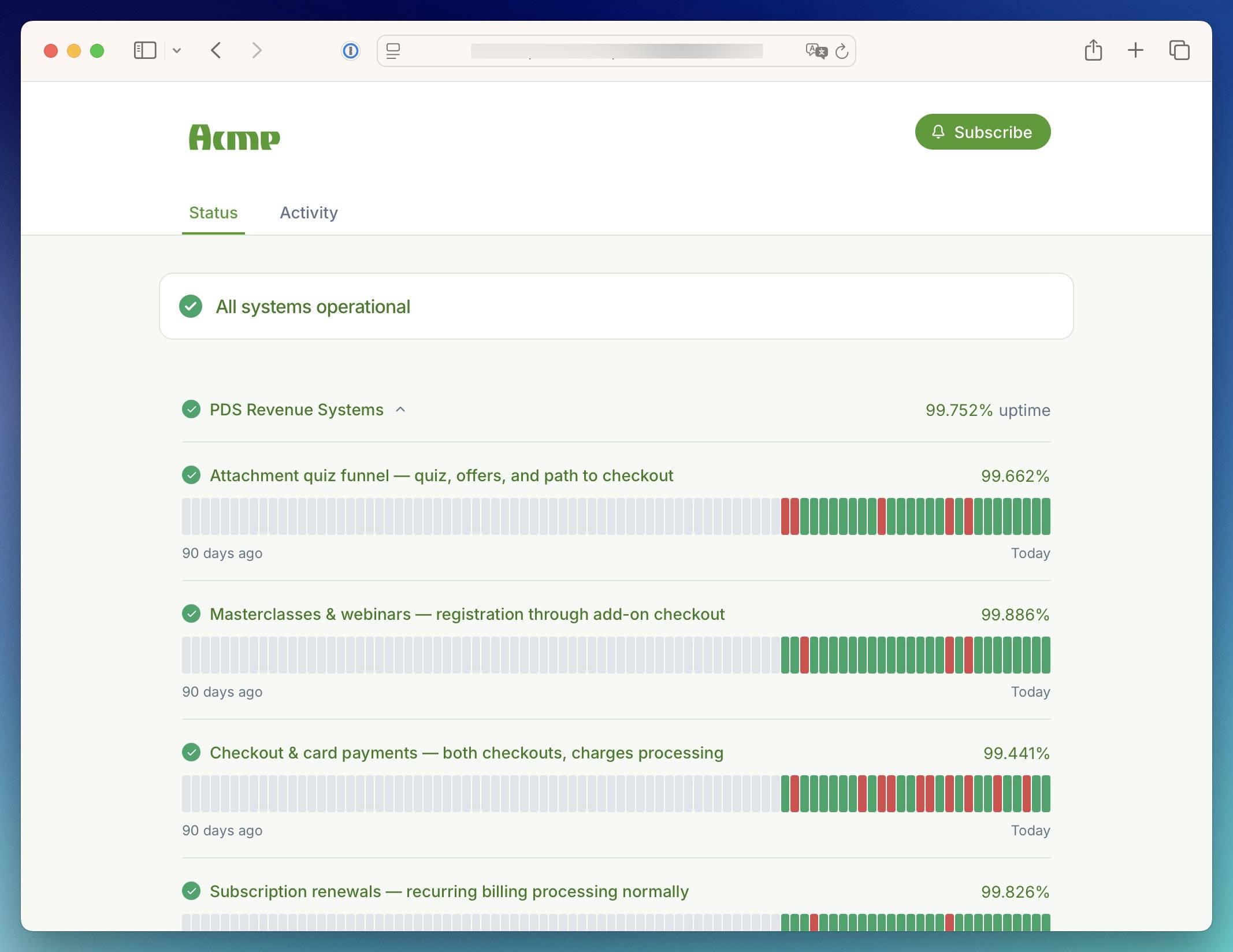
You can change how your status page looks and match it to your branding. Add your logo and favicon, pick a light or d
ark theme, and override the colors used across the page.
Theme customization is available on Communicate Team and Enterprise plans.
[View pricing](https://checklyhq.com/pricing)
## Logo and favicon
Put your own brand front and center. Your logo sits at the top of every page view, and your favicon makes the page easy to spot in a crowded tab bar. Both are set by URL, so host the image files somewhere publicly reachable first.
* **Logo**: your primary brand mark, displayed in the page header. Use a PNG, JPG, or SVG with a roughly 5:3 aspect ratio for the best fit.
* **Dark mode logo**: an alternative version shown when the page is in dark mode, so your logo looks sharp on both light and dark backgrounds.
* **Logo redirects user to**: where visitors go when they click your logo. Point it at your website to keep them close to your product.
* **Favicon**: the icon in the browser tab and bookmarks. Use a PNG, ICO, or SVG.
## Theme
Choose the look that suits your brand, or let each visitor decide:
* **Auto**: matches the visitor's system preference, so the page always feels native.
* **Light**: a clean, bright layout for every visitor.
* **Dark**: a darker layout for every visitor.
## Custom theme colors
Go beyond a logo and make the whole page yours. Every major surface and text color can be overridden to match your
brand guidelines, with separate palettes for light and dark mode under the **Light** and **Dark** tabs.
 | Color | Where it's used |
| ------------------------- | ------------------------------------------- |
| Body background | Background of the page body |
| Header background | Background of the page header |
| Header font | Main header text, such as your company name |
| Title font | Titles on the page |
| Body font | Regular body text |
| Body font (muted) | Secondary text, such as timestamps |
| Navigation font | Navigation links in the header |
| Link font | Links within the page content |
| Card background | Component and incident cards |
| Border | Divider below the header and card borders |
| Primary button background | Primary buttons, such as **Get updates** |
| Primary button font | Text on primary buttons |
| Color | Where it's used |
| ------------------------- | ------------------------------------------- |
| Body background | Background of the page body |
| Header background | Background of the page header |
| Header font | Main header text, such as your company name |
| Title font | Titles on the page |
| Body font | Regular body text |
| Body font (muted) | Secondary text, such as timestamps |
| Navigation font | Navigation links in the header |
| Link font | Links within the page content |
| Card background | Component and incident cards |
| Border | Divider below the header and card borders |
| Primary button background | Primary buttons, such as **Get updates** |
| Primary button font | Text on primary buttons |